
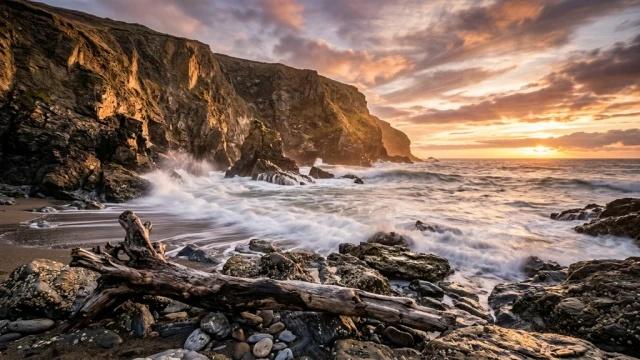
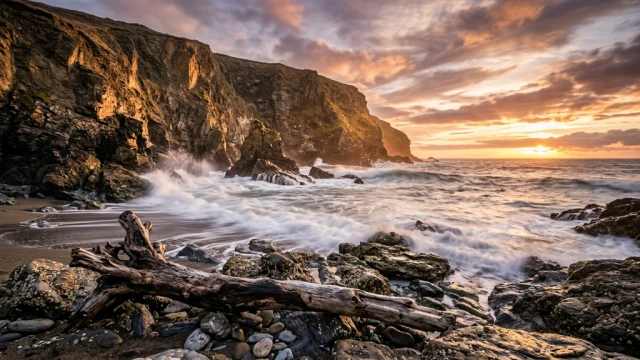
Format guides, including ours, often say things like “WebP is smaller than JPEG”. This page is our evidence: four original test images, encoded with real codecs at fixed settings, measured with objective metrics, and published with the script that produces every number so anyone can check it.
The test images
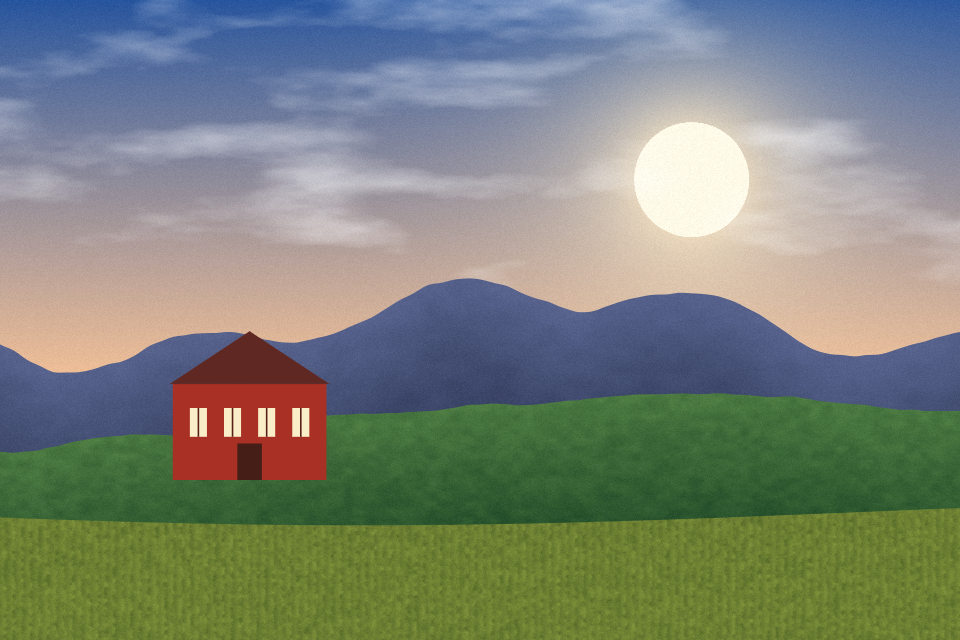
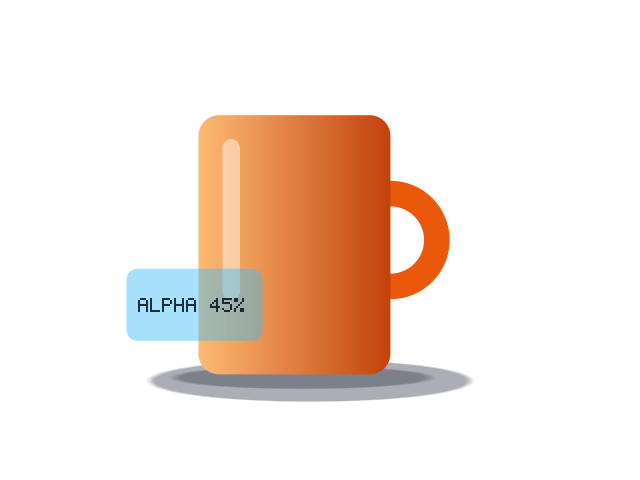
All four images were drawn by a script for this benchmark, so they can be published and redistributed without licence questions. They are synthetic, not photographs. Each was designed to stress compression in a different way.
| Image | Size | What it tests | Download |
|---|---|---|---|
| Photo-like landscape | 960 × 640 | Gradients, texture, sensor-style grain, one hard-edged building | source-photo.png |
| Flat logo | 640 × 480 | Three flat colours, crisp anti-aliased edges, bitmap text | source-logo.png |
| Transparent graphic | 640 × 480 | Product cutout, soft shadow, a 45%-opacity tag, transparent background | source-transparent.png |
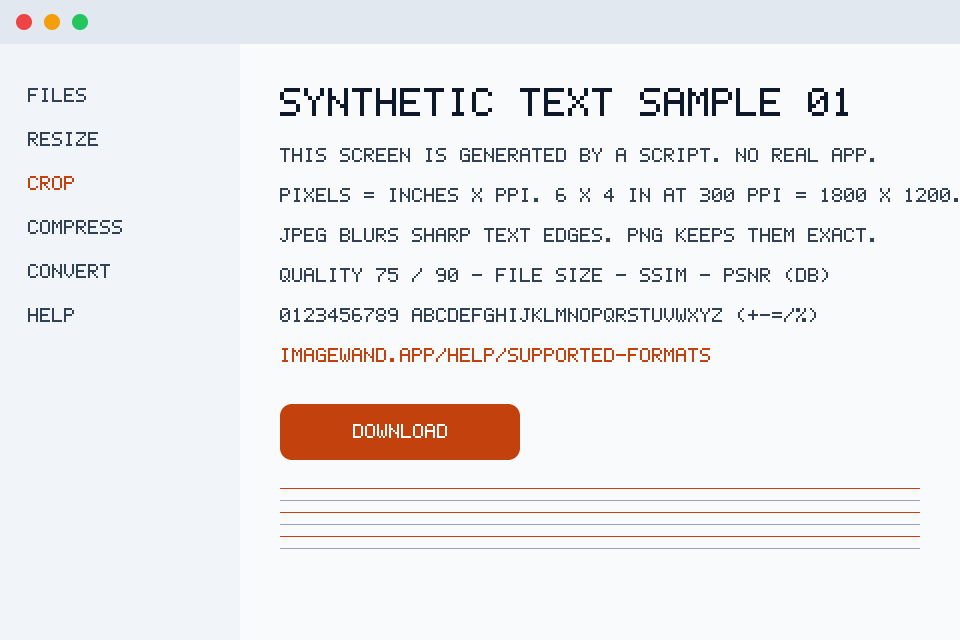
| Text screenshot | 960 × 640 | 1–2 px text and 1 px coloured lines on a light background | source-text.png |

Settings and versions
Encoding used sharp 0.34.5 (libvips 8.17.3) with these libraries: mozjpeg 0826579 for JPEG, libwebp 1.6.0, libheif 1.20.2 with aom 3.13.1 for AVIF, libspng 0.7.4 / libpng 1.6.50 and libimagequant 2.4.1 for PNG.
- JPEG: quality 60, 75 and 90; sharp defaults otherwise (4:2:0 chroma subsampling, mozjpeg trellis and scan optimisations off).
- WebP lossy: quality 60, 75 and 90; default effort 4. Lossy WebP always uses 4:2:0 chroma.
- AVIF: quality 45, 60 and 75; sharp defaults (effort 4, 4:4:4 chroma).
- WebP lossless, PNG at compression level 9, and PNG 256 colours (palette quantised with libimagequant).
- The transparent graphic was flattened on white for JPEG, which has no transparency.
Quality numbers mean different things in each codec, so compare formats by size and score, not by the quality setting.
Metrics. PSNR is measured over the red, green and blue channels; higher is closer, and identical images have no PSNR. SSIM (structural similarity) is computed on brightness with the standard 11 × 11 Gaussian window; 1 means identical. For the transparent graphic, both images are flattened on white before scoring, and transparency is scored separately. The metrics are implemented in the published script rather than taken from a library.
Results: photo-like landscape
| Setting | Bytes | Bits per pixel | PSNR (dB) | SSIM |
|---|---|---|---|---|
| JPEG q60 | 30,599 | 0.398 | 36.25 | 0.8948 |
| JPEG q75 | 47,962 | 0.625 | 37.11 | 0.9078 |
| JPEG q90 | 107,468 | 1.399 | 38.79 | 0.9346 |
| WebP q60 | 14,910 | 0.194 | 36.33 | 0.8774 |
| WebP q75 | 20,384 | 0.265 | 36.83 | 0.8854 |
| WebP q90 | 97,104 | 1.264 | 39.83 | 0.9545 |
| AVIF q45 | 6,798 | 0.089 | 37.31 | 0.8770 |
| AVIF q60 | 13,476 | 0.175 | 38.25 | 0.8912 |
| AVIF q75 | 46,723 | 0.608 | 39.83 | 0.9273 |
| WebP lossless | 540,776 | 7.041 | identical | 1 (identical) |
| PNG (lossless) | 746,612 | 9.722 | identical | 1 (identical) |
| PNG 256 colours | 281,554 | 3.666 | 44.47 | 0.9871 |

At about the same SSIM, AVIF q60 (13,476 bytes, 0.8912) was less than half the size of JPEG q60 (30,599 bytes, 0.8948), and WebP q75 (20,384 bytes, 0.8854) sat between them. Lossless formats were 11 to 16 times larger than JPEG q75: exact copies of a noisy photo are expensive. The SSIM scores of the lossy files are lower than you would see on most real photos because the per-pixel grain we added is exactly what lossy codecs discard.
Results: flat logo
| Setting | Bytes | Bits per pixel | PSNR (dB) | SSIM |
|---|---|---|---|---|
| JPEG q60 | 8,791 | 0.229 | 36.79 | 0.9950 |
| JPEG q75 | 10,611 | 0.276 | 38.47 | 0.9969 |
| JPEG q90 | 15,011 | 0.391 | 40.82 | 0.9988 |
| WebP q60 | 4,038 | 0.105 | 39.77 | 0.9986 |
| WebP q75 | 4,456 | 0.116 | 40.30 | 0.9989 |
| WebP q90 | 6,942 | 0.181 | 41.51 | 0.9996 |
| AVIF q45 | 1,969 | 0.051 | 43.80 | 0.9991 |
| AVIF q60 | 2,723 | 0.071 | 48.63 | 0.9997 |
| AVIF q75 | 3,457 | 0.090 | 52.18 | 0.9998 |
| WebP lossless | 3,916 | 0.102 | identical | 1 (identical) |
| PNG (lossless) | 9,256 | 0.241 | identical | 1 (identical) |
| PNG 256 colours | 4,316 | 0.112 | 76.00 | 1.0000 |

For flat graphics, an exact copy was cheap: lossless WebP (3,916 bytes) was smaller than every JPEG and every lossy WebP, and less than half the size of PNG (9,256 bytes). JPEG was the worst choice here: the largest lossy files and the lowest scores. At normal size the difference is hard to see, but every JPEG was larger than the exact lossless WebP.
Results: transparent graphic
| Setting | Bytes | Bits per pixel | PSNR (dB) | SSIM | Transparency |
|---|---|---|---|---|---|
| JPEG q60 | 7,250 | 0.189 | 38.90 | 0.9964 | removed, flattened on white |
| JPEG q75 | 8,642 | 0.225 | 40.39 | 0.9976 | removed, flattened on white |
| JPEG q90 | 12,558 | 0.327 | 42.89 | 0.9989 | removed, flattened on white |
| WebP q60 | 5,362 | 0.140 | 44.97 | 0.9983 | kept exactly |
| WebP q75 | 5,582 | 0.145 | 44.20 | 0.9978 | kept exactly |
| WebP q90 | 6,866 | 0.179 | 46.93 | 0.9992 | kept exactly |
| AVIF q45 | 2,919 | 0.076 | 47.33 | 0.9981 | kept, alpha PSNR 49.49 dB |
| AVIF q60 | 3,792 | 0.099 | 51.49 | 0.9991 | kept, alpha PSNR 54.54 dB |
| AVIF q75 | 4,584 | 0.119 | 54.06 | 0.9994 | kept, alpha PSNR 58.15 dB |
| WebP lossless | 4,554 | 0.119 | identical | 1 (identical) | kept exactly |
| PNG (lossless) | 7,705 | 0.201 | identical | 1 (identical) | kept exactly |
| PNG 256 colours | 4,473 | 0.116 | 60.51 | 0.9998 | kept, alpha PSNR 61.32 dB |

Lossy WebP kept the transparency channel exactly (libwebp stores it losslessly by default) and was smaller than PNG. AVIF compresses transparency too, so its alpha is close but not exact. JPEG had to be flattened on white: fine on a white page, wrong anywhere else. See what flattening does to a PNG.
Results: text screenshot
| Setting | Bytes | Bits per pixel | PSNR (dB) | SSIM |
|---|---|---|---|---|
| JPEG q60 | 42,437 | 0.553 | 32.27 | 0.9865 |
| JPEG q75 | 50,665 | 0.660 | 33.99 | 0.9912 |
| JPEG q90 | 70,127 | 0.913 | 35.52 | 0.9969 |
| WebP q60 | 15,000 | 0.195 | 35.11 | 0.9988 |
| WebP q75 | 16,198 | 0.211 | 35.48 | 0.9988 |
| WebP q90 | 25,398 | 0.331 | 36.19 | 0.9996 |
| AVIF q45 | 5,699 | 0.074 | 42.94 | 0.9997 |
| AVIF q60 | 9,075 | 0.118 | 51.02 | 1.0000 |
| AVIF q75 | 9,486 | 0.124 | 52.31 | 1.0000 |
| WebP lossless | 3,066 | 0.040 | identical | 1 (identical) |
| PNG (lossless) | 8,053 | 0.105 | identical | 1 (identical) |
| PNG 256 colours | 5,294 | 0.069 | identical | 1 (identical) |

This is where format choice mattered most. The exact lossless WebP was 3,066 bytes; JPEG at quality 90 was 70,127 bytes, about 23 times larger, and still not exact. JPEG and lossy WebP store colour at half resolution (4:2:0), which blurs thin coloured text; AVIF here kept full colour resolution (4:4:4), one reason it scored so much higher. For screenshots and diagrams, use PNG or lossless WebP.
What this means in practice
- Photos: WebP or AVIF make much smaller files than JPEG at similar quality. JPEG is still the safest choice for places that accept only JPEG.
- Logos, icons and flat graphics: use lossless WebP or PNG. Lossy formats add artefacts and are not smaller.
- Transparent images: WebP keeps exact transparency and was smaller than PNG here. Never use JPEG unless you want a solid background.
- Text and screenshots: lossless WebP or PNG. JPEG was the worst option on every measure.
To try these on your own files: the converter writes JPEG, PNG and WebP (WebP not in Safari), and AVIF only where your browser can encode it; the compressor writes JPEG, WebP or PNG. Our format guide explains where each format is supported.
Limitations
- Synthetic images. They were built to be reproducible and redistributable, not to represent all photos. Real photos usually have less per-pixel noise and will score higher at the same settings.
- One encoder per format. These are libvips encoders. ImageWand’s browser tools use your browser’s own encoders, which make different byte counts at the same quality setting; the ranking of formats is what carries over, not exact sizes.
- Fixed settings. We did not tune effort, chroma subsampling or other advanced options. Slower settings can make every lossy format smaller.
- Two metrics. PSNR and SSIM are objective but imperfect stand-ins for what people see. Look at the crops, and compare your own images at 100% zoom.
Reproduce it
Run node scripts/benchmark/run.mjs in the ImageWand repository. It draws the four sources (scripts/benchmark/lib/synthetic.mjs), encodes them, decodes every output again, computes the metrics (scripts/benchmark/lib/metrics.mjs) and writes results.json, the sources and the crops. No timestamps are recorded, so with the same sharp and libvips versions the output is identical byte for byte; the repository’s content tests check that.